
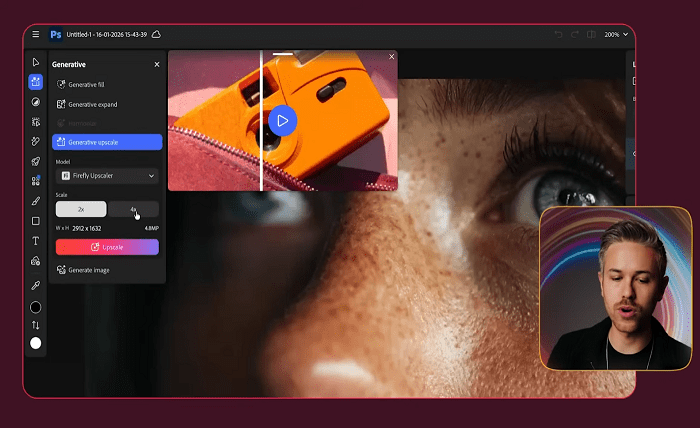
For anyone that’s edited portraits during the past couple of years, it’s easy to recognize the exact sequence of events. You upload your session into your photo editing application. You apply the automated AI enhancement function to several select images. Then you spend minutes analyzing both the original version of the portrait, along with the enhanced version of the portrait, to attempt to identify why one of the versions seems somewhat wrong. At times the AI does get it perfectly. At times the eyes are clearer in the enhanced version of the portrait, yet something about the overall appearance of the face appears slightly different. In almost every case, although the enhanced version of the portrait is technically better, and aesthetically less pleasing than what could have been produced through manual methods.
The purpose of this post is to provide insight into why there’s such a gap between what AI achieves, versus what a human might achieve through a manual method. The reason for that gap lies in exactly what the AI is optimizing for – and how the different objective functions utilized by different applications produce visually distinct outcomes that working portrait photographers can become aware of.
Technical Task v.s. Aesthetic Task
AI-based auto-enhancement in photographic editing applications accomplishes two tasks simultaneously. Those two tasks are in opposition to each other.
The technical task is relatively simple. Maximize eye sharpness, maximize the exposure of the entire frame, restore details lost to shadows and highlights, minimize noise levels, eliminate color casts. All of these are measurable objectives. Therefore, the AI can be trained to meet them using quantifiable feedback signals. Modern tools accomplish all of them quite well – frequently better than a human with limited time to do so.
The aesthetic task is far more difficult. Exactly what defines a portrait as being ‘great’ (beyond simply being technically perfect) is fundamentally tied to how the subject presents itself as a person. That fleeting facial micro-expresses something true. The way the shadow complements the bone structure. The slight asymmetry that represents honesty instead of manufactured perfection. Not one of these factors can be measured. Each factor depends upon a level of contextual understanding that the AI cannot easily develop.
Each tool handles the conflict between the technical and aesthetic tasks differently. Lightroom’s AI typically leans toward meeting the technical task and leaves up to the user to determine aesthetics. Capture One’s AI is far more prescriptive regarding style and aesthetics and often generates endless arguments among users as to whether its output is good or bad. The mobile app type tools (Lensa, FaceApp, etc.) take it further still by automatically determining style/aesthetics. As a result, portraits taken directly from smartphones in 2026 appear significantly different from portraits generated via a DSLR camera and high-end workflow even when the technical aspects of the photographs are very similar.
What the AI Really Looks at
Modern portrait-enhancing AI performs face recognition followed by breaking down a face into individual structural sections (eyes, mouth, skin, hair, etc.). Once broken-down into individual parts, separate rules are applied to each section based on their location within the face. For example, the rule-set used to sharpen eyes is different than the rule-set used to prevent skin texture from becoming damaged. The reason auto-enhance now does such a superior job at keeping skin texture intact while sharpening eyes is because it recognizes each area as such.
In addition to recognizing regional structures, contemporary portrait-enhancing AI also develops behavioral insights regarding a photograph. Was this a spontaneous snap-shot or was this formally staged? Did this occur in a studio setting or under natural lighting conditions? Was this expression candid or contrived? From this information, all subsequent processing decisions flow. Formal portraits generate one set of rules; candid expressions generate another. An AI’s interpretation of what type of photograph you created accounts for nearly all differences observable between tools. The operational patterns visible when these systems run at scale show a similar dynamic in other domains — how confidently a system interprets context is what separates reliable automation from the kind that quietly fails.
It’s fascinating to note how poorly an AI interprets these behaviors. An AI commonly over-formalizes candids – identifying a face and processing it according to standard portrait settings instead of allowing it to maintain the natural documentation quality present in the original. An AI commonly over-styles faces that lack representation in an average training dataset – modifying skin tone in ways that appear unnatural for subjects whose race, age or physical characteristics lacked representation in typical training datasets. An AI commonly smoothes out character that a photographer intentionally maintained – removing the imperfections present in an image that made it unique in the first place.
Why Different Tools Perform Differently
There are three primary reasons for differences in performance among tools:
Training Data: Applications that have been trained on larger, more diverse collections of portrait images perform better across a broader range of faces. Applications that have primarily been trained on professional head-shots produce excellent results for professional head-shots and begin producing poor results for any other types of images. Because consumer-facing smartphone apps need to work for individuals across many countries they tend to perform better than professional tools on certain demographics – since consumer tools needed to work for everyone.
Level of Aggression: Some tools are optimized to create minor adjustments while others are optimized to create major changes. More aggressive tools will generate large before-and-after comparison images that demonstrate well and appeal well in marketing materials. However, they will also fail more often when the AI misreads an image. Photographers seeking subtle, manual-level AI support will generally prefer less aggressive tools – even if they’re less effective in demos.
Degree of User Control: The best tools provide some degree of control over what an AI did, I.e., allow users to access adjustable parameters representing an AI’s actions. Poor tools provide little-to-no ability to control an AI’s output – providing only an “enhance” slider that impacts all elements of an image equally. Users should be able to identify what an AI modified incorrectly and then modify it individually – whereas when users have no direct access to parameters controlling an AI’s behavior (I.e., sliders), users may choose to turn-off global enhancements and accept suboptimal output across all portions of an image where an AI performed correctly.
These patterns reflect broader trends observed in other AI-related areas: tools that provide transparency regarding how they operate and offer granular control options consistently exceed tools that automate all functionality. Adversarial Systems Engineering Teams – including teams building systems that model how machines and humans interact in complex decision environments – have emphasized this concept relative to AI Assistants for years. Photo Editing provides a particularly visual illustration of why this is accurate.
Implications for Your Workflow
Below are a number of practical recommendations designed to help limit your frustration if you’re currently utilizing AI-assisted portrait editing in 2026.
Trust an AI for the technical aspect of photography editing. The AI clearly outperforms most humans in terms of tasks such as sharpening eyes, recovering exposure across frames, reducing noise levels, eliminating color casts, etc.. Use the AI to enhance these items unless you believe something obvious went wrong.
Reclaim control over the creative aspect of photography editing. Do not permit an AI to establish stylistic preferences for your work. If your tool establishes those preferences automatically, locate the controls required to disable them. If your tool does not reveal those controls – evaluate if it is suitable for the type(s) of portraiture you are attempting to shoot.
Be aware of where your subjects fit within a typical training dataset. If you photograph individuals who lack sufficient representation within mainstream training datasets, you’ll likely observe that your AI tools produce inferior results on those subjects. Develop a workflow that allows you to manually assess images where you anticipate potential failure due to insufficient representation within typical training datasets prior to relying on default outputs provided by your AI tools.
Do not argue with your tool. If you continually need to reverse automatic decisions produced by your AI – switch to a less aggressive tool or disable all AI features altogether. The friction associated with arguing with an opinionated AI is generally greater than that experienced when performing manual edits with fewer aggressive starting points.
Portrait editing AI in 2026 is technically stunning software capable of generating incredible results – however it is also opinionated software that creates aesthetic judgments about your photos without informing you and the version that produces pictures that are most flattering to your photography style is either one that shares your own opinions – or better yet one that offers little/no opinions and allows you to create them yourself.